Sign in Get started

Fuel management Stop paying for fuel you didn’t need.

Fuel is one of the biggest costs of running a fleet. Pathlink shows where it goes: which vehicles idle, which fill-ups don’t add up, and how much each vehicle really burns, all running on Azuga.

Find the idling

An engine that runs while the vehicle sits still burns fuel for nothing. Azuga’s idling report shows which vehicles idle, for how long and where, so you can coach the drivers and the habits that cost the most.
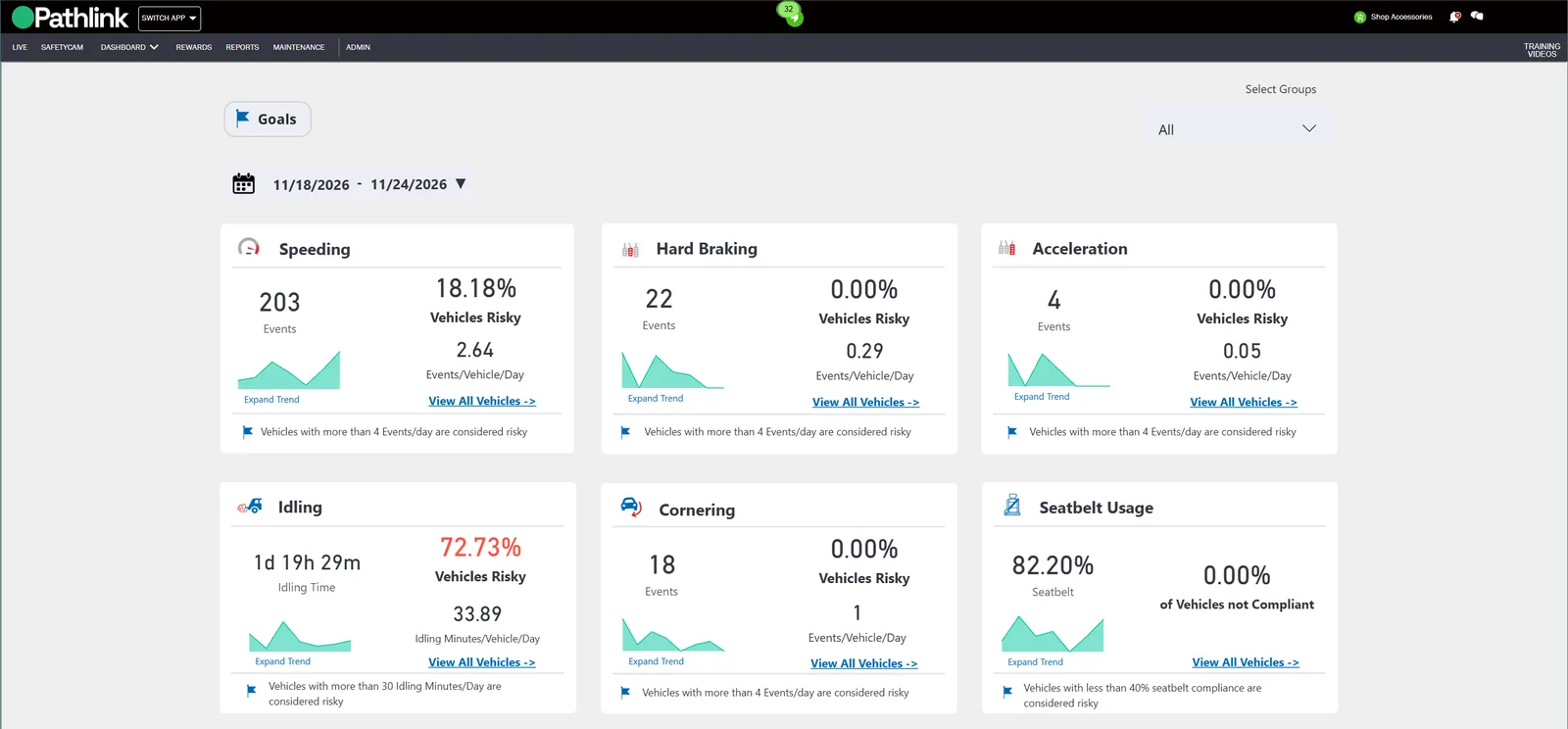
Driving habits dashboard with cards for speeding, hard braking, acceleration, idling, cornering and seat belt use
Idling sits alongside speeding, hard braking and other driving habits on the dashboard.

Match every fill-up to the vehicle

Connect your fuel cards and Azuga records the volume, cost and time of every purchase, then checks each one against where the vehicle actually was. Two exception reports flag the fill-ups that don’t add up:

  • Fuel location exceptions: a card was used somewhere the vehicle wasn’t
  • Fuel quantity exceptions: the amount bought doesn’t match the change in the vehicle’s fuel level
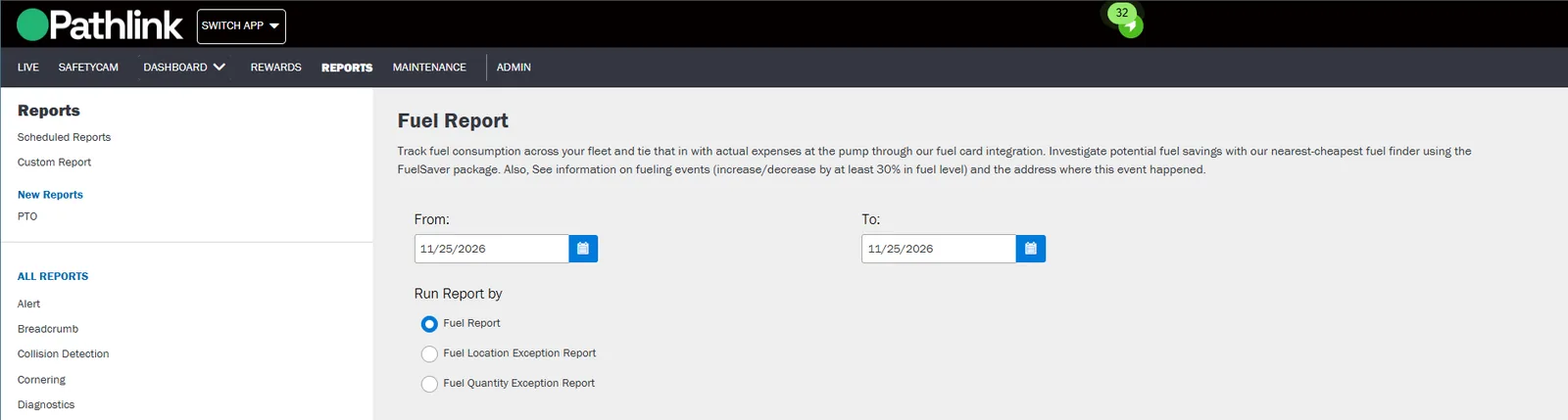
The Fuel Report screen in the Pathlink web app, with options for a fuel report, a fuel location exception report and a fuel quantity exception report
The fuel report in the Pathlink web app, with its two exception reports.

See fueling events

The tracker reads the fuel level from the vehicle itself. Azuga logs every jump or drop of 30% or more, with the address where it happened, so a fill-up or a sudden loss of fuel doesn’t go unnoticed.

Fuel level readings depend on the vehicle. Not every make and model shares them. Tell us what you drive and we’ll tell you what to expect.

Find cheaper fuel

Azuga’s optional FuelSaver package adds a nearest-cheapest fuel finder, so drivers can fill up for less near where they already are.

Drive less, spend less

Fuel savings also come from fewer miles. Trip history shows detours and personal use, after-hours alerts flag vehicles driven when they shouldn’t be, and route planning integrations like Route4Me cut the miles between stops.

Fuel tax, too

For trucking fleets, the state mileage report breaks down miles by state for IFTA fuel-tax filing. More on ELD and IFTA.

Fuel management questions

Which fuel cards work with Pathlink?

Azuga integrates with WEX, Comdata, Coast, Voyager, EFS, AtoB, RoadFlex, GASCARD and Car IQ. If you use another card, ask us. See fuel card integrations.

How does Pathlink catch fuel card fraud?

Each fuel card purchase is checked against where the vehicle was at the time. If a card is used somewhere the vehicle wasn’t, or the amount bought doesn’t match the vehicle’s fuel level, it shows up on an exception report.

Do I need extra hardware for fuel tracking?

No. The same vehicle GPS tracker that powers live tracking reads fuel and idling data from the vehicle. Fuel level readings depend on the make and model.

Can Pathlink reduce idling?

Idling reports show which vehicles and drivers idle the most, and for how long. Most fleets cut idling by sharing those reports with drivers and coaching the worst habits.

Ready to cut your fuel bill?

Get started

3-year price lock. Cancel anytime.